Last updated: September 2026
If you're making USDT transfers on Tron and watching your TRX balance drain on transaction fees, there's a faster way. The EezyTron Telegram bot lets you rent energy without opening a browser, connecting a wallet, or waiting around.
Yes, you heard it right!
This guide covers everything you need to know about renting Tron energy through Telegram, including the exact steps, real pricing, and when it actually makes sense to use.
Why Rent Energy Through Telegram?
Here's the thing about Tron energy: you need it for every USDT transfer. Without it, you're burning TRX on transaction fees. With it, your transfers cost nearly nothing.
The traditional way is buying energy on a website, which means:
- Opening a browser on mobile (slow)
- Connecting your wallet (another app)
- Waiting for confirmations
- Switching back to your wallet to send
The Telegram method takes about 20-30 seconds because everything happens in one app you're probably already using.
Real use case: You're about to send USDT to an exchange. Instead of burning about 13 TRX, you open Telegram, type /rent, send 6 TRX, and energy shows up in your wallet in under 10 seconds. Transfer completed. You just saved over 50%.
Setting Up the Bot (First Time Only)
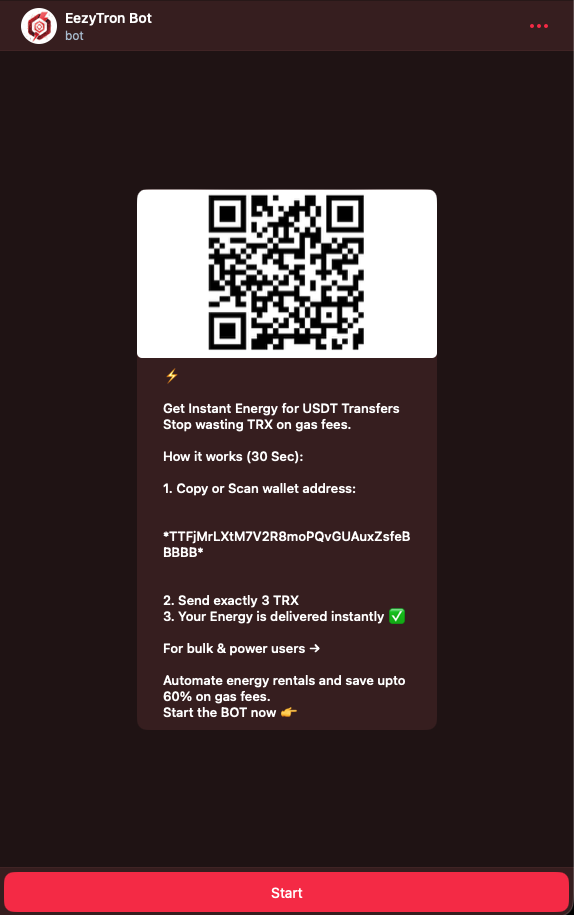
Open @EezyTronBot on Telegram.
The bot asks for your Tron wallet address. This is usually your T-address from TronLink, Trust Wallet, or whatever you use. Copy and paste it in.
That's it. The bot saves your address, so next time you just type /rent and go.
Important: The bot never asks for your private key or seed phrase. If something claiming to be support asks for these, it's a scammer.
How to Rent Energy (The Quick Version)
- Open the bot
- Select
/rentenergy - Choose energy amount (usually 65,000 for standard USDT transfers)
- Send the exact TRX amount shown to the payment Tron address
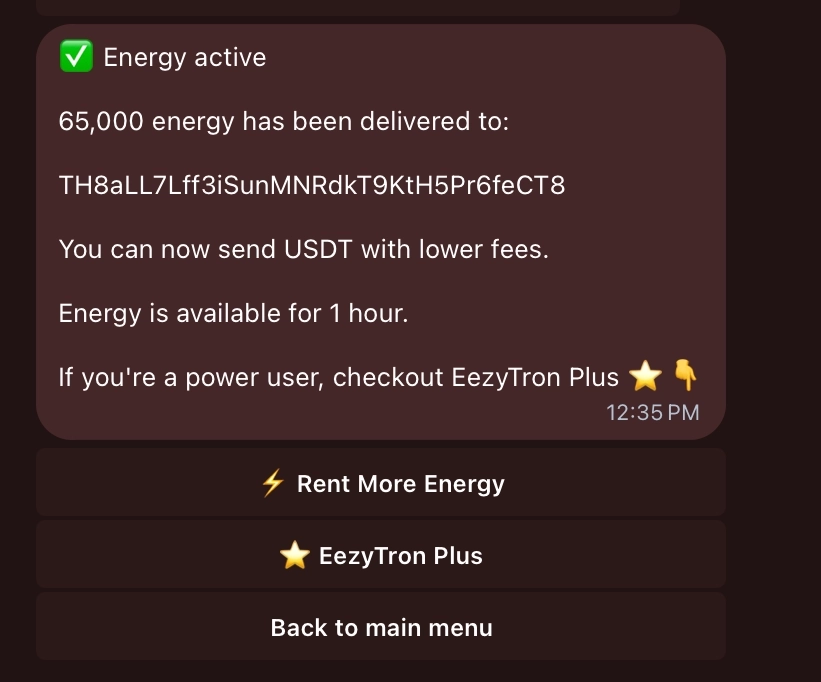
- Energy arrives instantly
The bot gives you a payment address and specific amount. Send exactly that amount. Not more, not less (you'll just confuse the system).
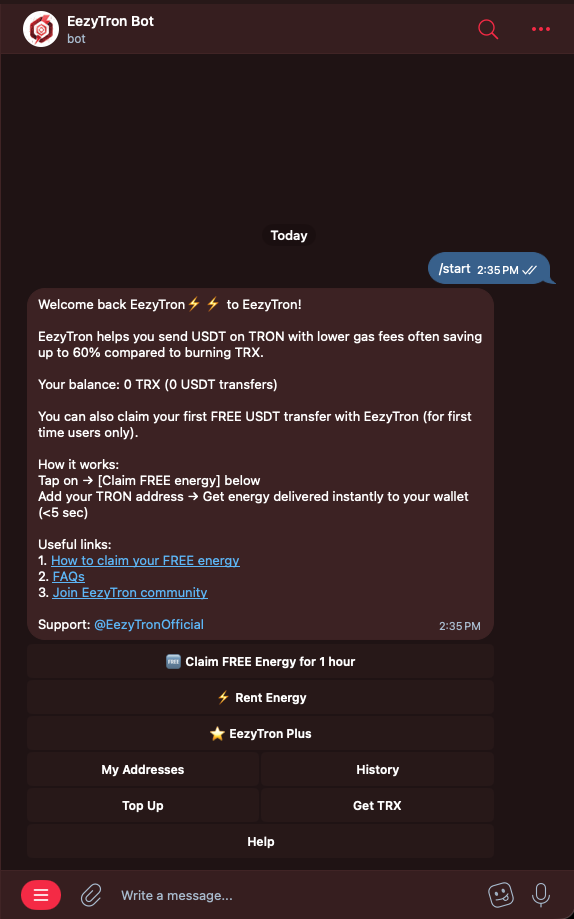
We're currently running a "Claim FREE Energy" campaign so you can try EezyTron's energy rental and experience the difference yourself.
No commitment, no top-up requirement. Just test it and see how it works.
👉 Try it here: https://t.me/eezytronbot
📘 Quick how-to guide: https://eezytron.com/blog/how-to-claim-free-energy/
Available for a limited time.
Understanding Energy Amounts
This confuses people, so here's the breakdown:
65,000 energy = one transfer to a wallet that already holds USDT
- Costs 3 TRX with EezyTron
- Good for occasional transfers
131,000 energy = one transfer to a new or zero-USDT wallet, including exchange deposit addresses
- Costs 6 TRX with EezyTron
- Use this whenever you're not sure the destination already holds USDT
For multiple transfers, rent in multiples of these two amounts. There's no bulk discount, but you only rent once instead of stopping between each transfer.
Energy expires after 1 hour. Don't rent more than you'll use.
Real Pricing (as of February 2026)
Here's what you actually pay:
| Energy | Use case | EezyTron Price | vs Burning TRX |
|---|---|---|---|
| 65,000 | Existing-USDT wallet | 3 TRX | Saves about 3.5 TRX |
| 131,000 | New/zero-USDT wallet or exchange | 6 TRX | Saves about 7 TRX |
These are EezyTron's standard rates. The bot always confirms the exact price before you commit.
When Renting Ahead Makes Sense
If you're making several transfers in a session (trading, paying multiple vendors, whatever), renting enough energy upfront saves you from stopping to rent again each time.
The bot lets you rent in multiples of 65,000/131,000 depending on your mix of destinations. There's no volume discount — you pay the same 3 TRX or 6 TRX per transfer's worth of energy — but you skip the 30 seconds of re-renting each time.
Remember: energy expires in 1 hour. If you rent more than you use in that window, you've wasted TRX. Plan ahead.
Actual example: Day trader making six USDT transfers during a volatile session, all to wallets that already hold USDT. Renting 390,000 energy (6 × 65,000) once costs 18 TRX. Renting 65,000 energy six separate times also costs 18 TRX — same total either way. The real benefit is not having to stop and rent energy mid-session.
Better use EezyTron Plus (24x7): Subscribe to the plan and get always charged for all your USDT transfers
Smart Alerts and Notifications
The bot sends you messages when:
- Payment is confirmed
- Energy is delivered to your wallet
- Energy is about to expire (10-minute warning)
You can turn these off in settings if they're annoying, but the expiry warning is actually useful. I've let energy expire unused before it's a waste.
Common Mistakes to Avoid
Renting after you transfer:
Energy needs to be in your wallet before you send USDT. Renting it after doesn't help. Check your balance first.
Wrong payment amount:
The bot calculates the exact TRX amount needed. If you send 2.7 TRX when it asks for 2.8 TRX, the transaction fails and you have to contact support. Just copy the number.
Ignoring the 1-hour limit:
Energy isn't stored forever. Use it or lose it within 60 minutes.
Renting from the wrong address:
If you registered wallet A but send from wallet B, the energy goes to wallet A. Make sure you know which wallet you connected.
Note: We understand that mistakes can happen in crypto. That's why EezyTron offers a 100% refund for honest mistakes, reviewed and resolved fairly by our support team.
Who Actually Benefits from this...
Day traders:
You're already on Telegram for signals or chat. Renting energy without leaving the app saves time during volatile markets.
People making frequent USDT payments:
If you're paying freelancers, vendors, or moving money between platforms regularly, this cuts costs fast.
Anyone with zero TRX:
The /rescue command lets you get energy even with an empty TRX balance (using a different payment method). Useful when you're stuck.
Businesses processing many transactions:
The API integration handles energy rental automatically. But that's beyond this guide's scope.
Is It Actually Cheaper?
Short answer: yes, over 50% cheaper than burning TRX.
Long answer: the savings is straightforward — 3 TRX rented vs about 6.5 TRX burned for a wallet that already holds USDT, or 6 TRX rented vs about 13 TRX burned for a new or zero-USDT wallet. Network congestion can shift the exact burn amount slightly, but the bot always shows you the savings before you commit.
Renting energy for standard USDT transfers saves most users 3.5-7 TRX per transaction depending on the destination wallet. That adds up fast.
Important Security Note!
The bot only needs your public wallet address (T-address). This is safe to share, it's literally posted on the blockchain already.
What the bot will never ask for:
- Private keys
- Seed phrases
- Wallet passwords
- Access to your exchange accounts
All payments go through the Tron blockchain. The bot doesn't hold your funds.
If you get a message from "support" asking for private information, it's a scam. Real support only responds through the official @eezytronofficial
Getting Help
Type /help in the bot for instant FAQ answers. For actual humans, use @eezytronofficial.
Final Thoughts
The Telegram bot isn't revolutionary technology, but it solves a real friction point: renting energy quickly without context-switching between apps.
If you make USDT transfers regularly on Tron, it's worth setting up. Takes 2 minutes, saves you money and time on every future transaction.
Try it once. If it's faster than your current method, you'll keep using it. If not, you're out maybe 3 TRX.
Quick Links:
- Bot: @EezyTronBot
- Support: @eezytronofficial
- Website: eezytron.com