If you're making USDT transfers on Tron and watching your TRX balance drain on transaction fees, there's a faster way. The EezyTron Telegram bot lets you rent energy without opening a browser, connecting a wallet, or waiting around.
Yes, you heard it right!
This guide covers everything you need to know about renting Tron energy through Telegram, including the exact steps, real pricing, and when it actually makes sense to use.
Why Rent Energy Through Telegram?
Here's the thing about Tron energy: you need it for every USDT transfer. Without it, you're burning TRX on transaction fees. With it, your transfers cost nearly nothing.
The traditional way is buying energy on a website, which means:
- Opening a browser on mobile (slow)
- Connecting your wallet (another app)
- Waiting for confirmations
- Switching back to your wallet to send
The Telegram method takes about 20-30 seconds because everything happens in one app you're probably already using.
Real use case: You're about to send USDT to an exchange. Instead of burning 5-10 TRX, you open Telegram, type /rent, send 2-3 TRX, and energy shows up in your wallet in under 10 seconds. Transfer completed. You just saved 50-70%.
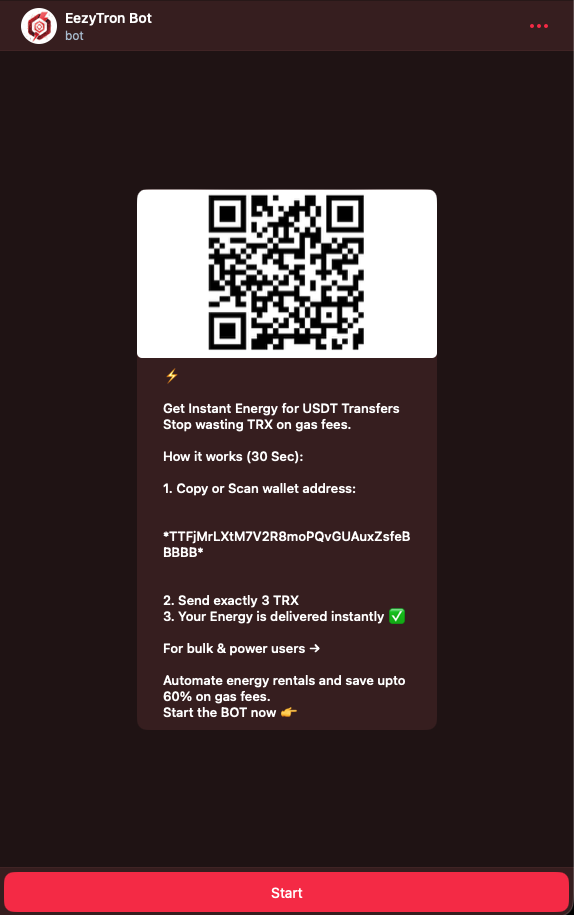
Setting Up the Bot (First Time Only)
Open @EezyTronBot on Telegram.
The bot asks for your Tron wallet address. This is usually your T-address from TronLink, Trust Wallet, or whatever you use. Copy and paste it in.
That's it. The bot saves your address, so next time you just type /rent and go.
Important: The bot never asks for your private key or seed phrase. If something claiming to be support asks for these, it's a scammer.
How to Rent Energy (The Quick Version)
- Open the bot
- Select
/rentenergy - Choose energy amount (usually 65,000 for standard USDT transfers)
- Send the exact TRX amount shown to the payment Tron address
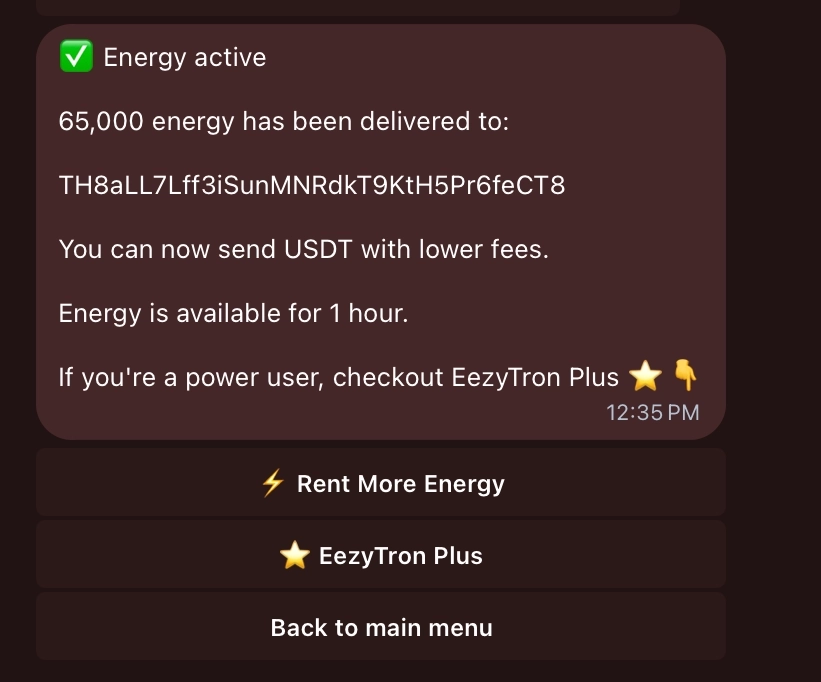
- Energy arrives instantly
The bot gives you a payment address and specific amount. Send exactly that amount. Not more, not less (you'll just confuse the system).
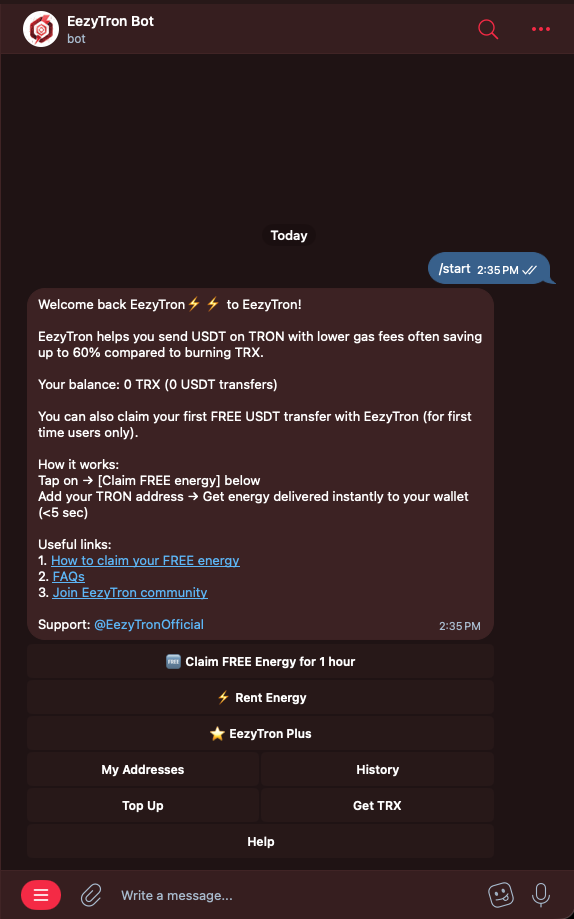
We're currently running a "Claim FREE Energy" campaign so you can try EezyTron's energy rental and experience the difference yourself.
No commitment, no top-up requirement. Just test it and see how it works.
👉 Try it here: https://t.me/eezytronbot
📘 Quick how-to guide: https://eezytron.com/blog/how-to-claim-free-energy/
Available for a limited time.
Understanding Energy Amounts
This confuses people, so here's the breakdown:
65,000 energy = about 1 USDT transfers
- Costs around 2-3 TRX depending on market
- Good for occasional transfers
130,000 energy = about 10 transfers
- Slight bulk discount applies
- Makes sense if you're moving funds between exchanges
650,000+ energy = 20+ transfers
- Better discounts (up to 20% off)
- Only worth it if you're actually making that many transfers within the hour
Energy expires after 1 hour. Don't rent more than you'll use.
Real Pricing (as of February 2026)
Here's what you actually pay:
| Energy | Transfers | Current Rate | vs Burning TRX |
|---|---|---|---|
| 65,000 | ~5 | 3 TRX | Saves ~8 TRX |
| 130,000 | ~10 | 6 TRX | Saves ~18 TRX |
| 650,000 | ~50 | TRX | Saves ~90 TRX |
These rates fluctuate based on Tron network conditions. The bot always shows current pricing before you commit.
When Bulk Orders Make Sense
If you're making 10+ transfers in a session (trading, paying multiple vendors, whatever), bulk orders save you money.
The bot offers:
- 8% discount at 130k energy
- 10% discount at 650k energy
- 13% discount at 1.3M+ energy
But remember: energy expires in 1 hour. If you rent 650k energy and only use 200k, you wasted money. Plan ahead.
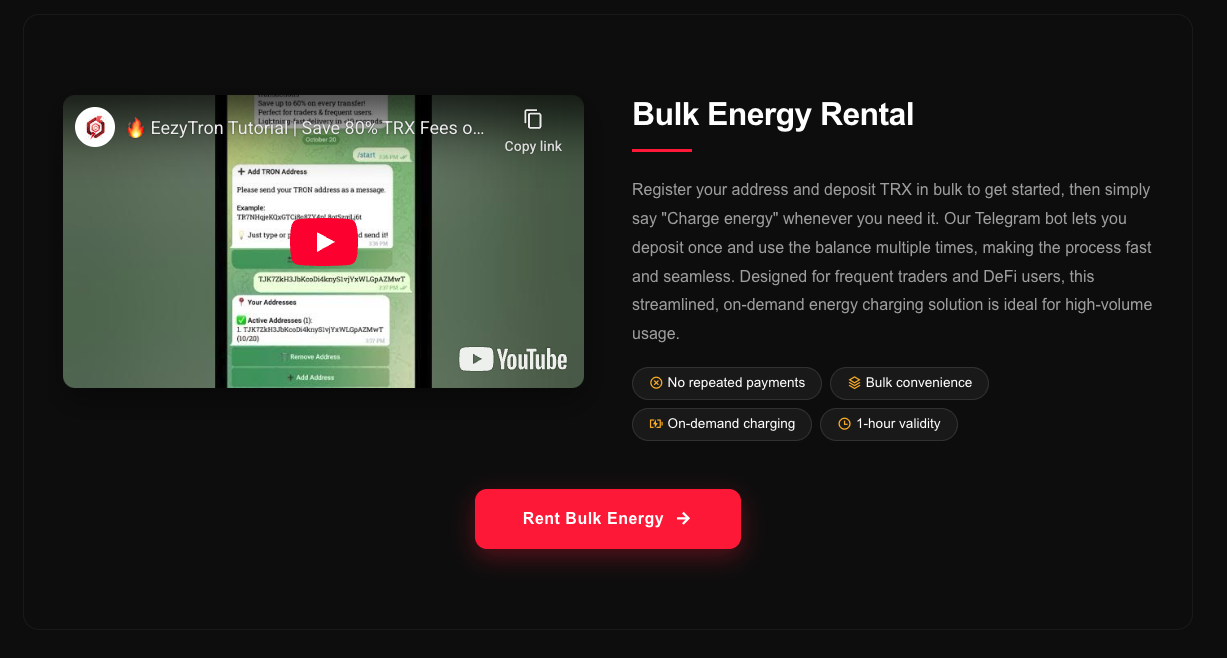
Actual example: Day trader making 30 USDT transfers during a volatile session. Renting 400k energy once costs 19 TRX. Renting 65k energy six separate times costs 17 TRX. In this case, bulk barely saves anything. The real benefit is not having to stop and rent energy mid-session.
Better use EezyTron Plus (24x7): Subscribe to the plan and get always charged for all your USDT transfers
Smart Alerts and Notifications
The bot sends you messages when:
- Payment is confirmed
- Energy is delivered to your wallet
- Energy is about to expire (10-minute warning)
You can turn these off in settings if they're annoying, but the expiry warning is actually useful. I've let energy expire unused before it's a waste.
Common Mistakes to Avoid
Renting after you transfer:
Energy needs to be in your wallet before you send USDT. Renting it after doesn't help. Check your balance first.
Wrong payment amount:
The bot calculates the exact TRX amount needed. If you send 2.7 TRX when it asks for 2.8 TRX, the transaction fails and you have to contact support. Just copy the number.
Ignoring the 1-hour limit:
Energy isn't stored forever. Use it or lose it within 60 minutes.
Renting from the wrong address:
If you registered wallet A but send from wallet B, the energy goes to wallet A. Make sure you know which wallet you connected.
Note: We understand that mistakes can happen in crypto. That's why EezyTron offers a 100% refund for honest mistakes, reviewed and resolved fairly by our support team.
Who Actually Benefits from this...
Day traders:
You're already on Telegram for signals or chat. Renting energy without leaving the app saves time during volatile markets.
People making frequent USDT payments:
If you're paying freelancers, vendors, or moving money between platforms regularly, this cuts costs fast.
Anyone with zero TRX:
The /rescue command lets you get energy even with an empty TRX balance (using a different payment method). Useful when you're stuck.
Businesses processing many transactions:
The API integration handles energy rental automatically. But that's beyond this guide's scope.
Is It Actually Cheaper?
Short answer: yes, usually 60-75% cheaper than burning TRX.
Long answer: It depends on TRX price, network congestion, and how much energy you're buying. The bot shows you the savings before you commit. If the numbers don't make sense, you can just close it.
In 2026, with TRX hovering around $0.18-0.25, renting energy for standard USDT transfers saves most users 2-7 TRX per transaction. That adds up fast.
Important Security Note!
The bot only needs your public wallet address (T-address). This is safe to share, it's literally posted on the blockchain already.
What the bot will never ask for:
- Private keys
- Seed phrases
- Wallet passwords
- Access to your exchange accounts
All payments go through the Tron blockchain. The bot doesn't hold your funds.
If you get a message from "support" asking for private information, it's a scam. Real support only responds through the official @eezytronofficial
Getting Help
Type /help in the bot for instant FAQ answers. For actual humans, use @eezytronofficial.
Final Thoughts
The Telegram bot isn't revolutionary technology, but it solves a real friction point: renting energy quickly without context-switching between apps.
If you make USDT transfers regularly on Tron, it's worth setting up. Takes 2 minutes, saves you money and time on every future transaction.
Try it once. If it's faster than your current method, you'll keep using it. If not, you're out maybe 3 TRX.
Quick Links:
- Bot: @EezyTronBot
- Support: @eezytronofficial
- Website: eezytron.com