Limited Time
Get FREE energy for your first transaction at @EezyTronBot
Sending USDT on TRON can be expensive if you burn TRX for gas.
EezyTron helps you avoid that by letting you rent energy instead — cheaper and faster.
If you're new, first go ahead and claim your FREE energy to try it out.
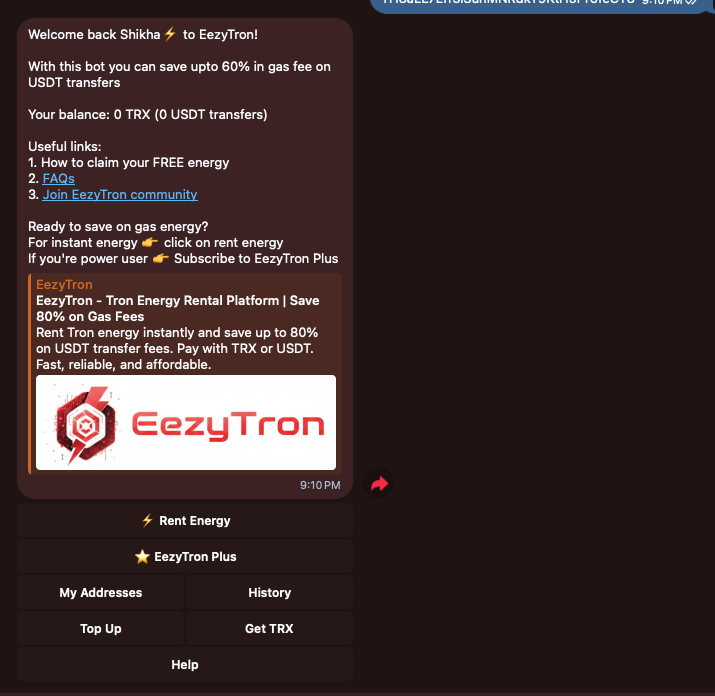
Step 1: Open the EezyTron Bot
Open @EezyTronBot on Telegram and hit Start — this opens the main menu of the bot.
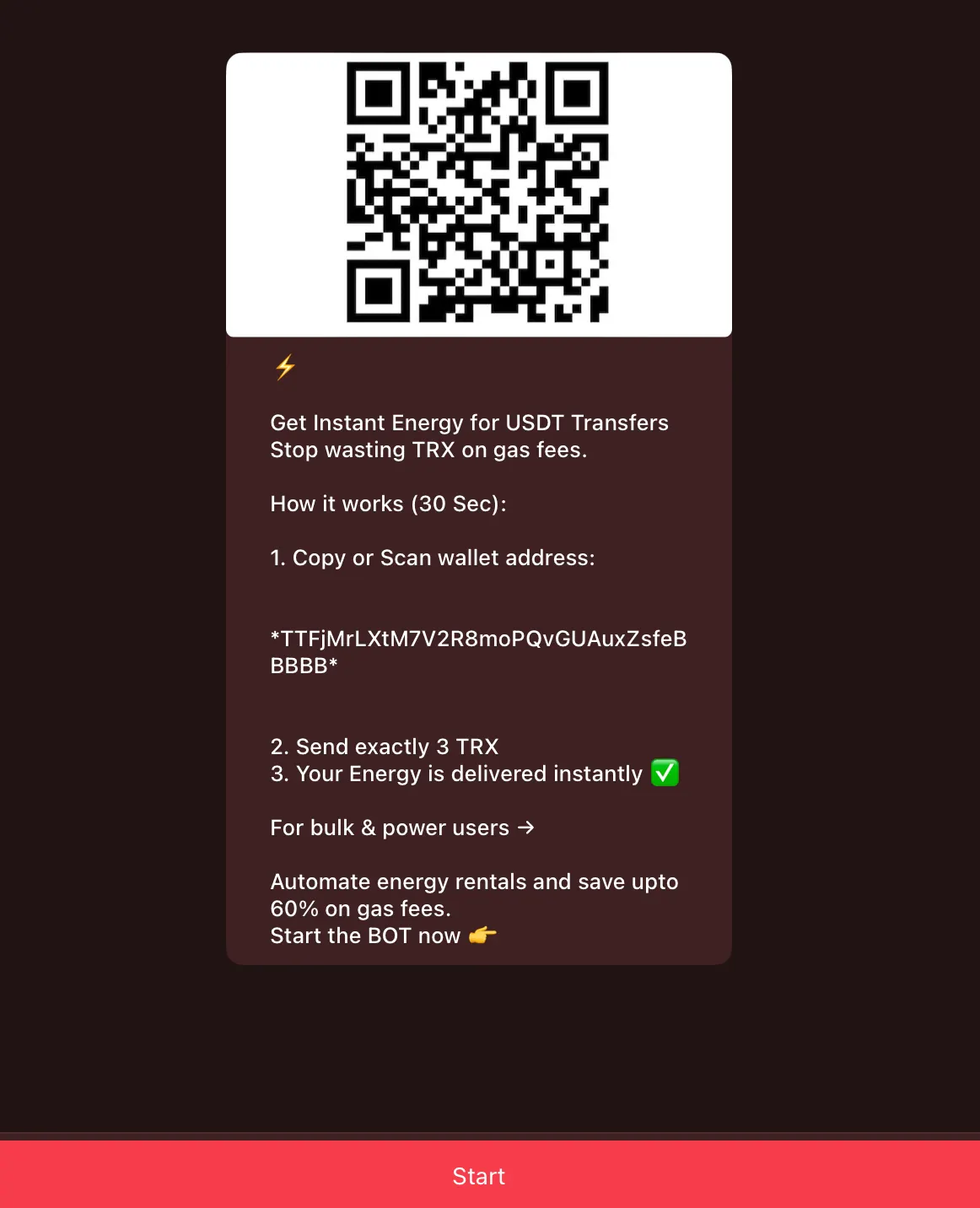
Step 2: Tap on "Claim FREE Energy"
In the very first option, you'll find "Claim FREE Energy" — tap it to continue.
This free energy is only available for first-time users.
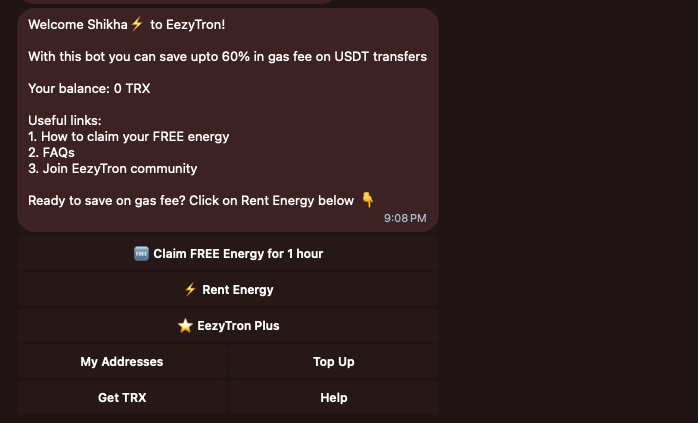
Step 3: Add Your TRON Wallet Address
To deliver energy, EezyTron needs your TRON address.
- Copy your TRON (TRC-20) wallet address from your wallet
- Paste it into the bot
- Press Enter
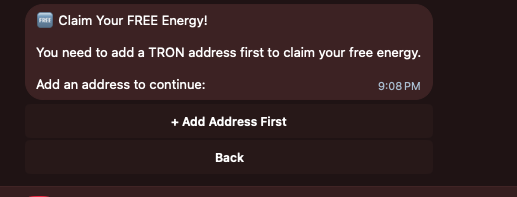
Step 4: Address Added Successfully
Once added, you'll see a confirmation message that your address has been saved.
This is the wallet where you'll receive your FREE energy.
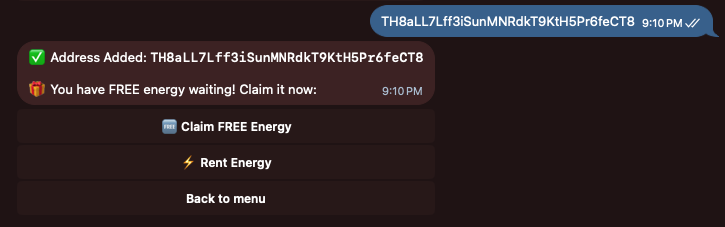
Step 5: Claim FREE Energy
Now tap on "Claim FREE Energy" — BOOM! You have claimed your free energy, now you can do free USDT transfers.
This will reflect instantly in your wallet. Happy Renting!
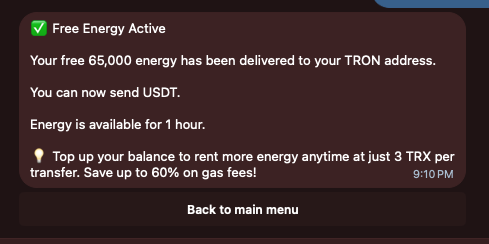
Check out more renting features on EezyTron by going back to the main menu. If you're a frequent user (daily 10-15 transactions), check out EezyTron Plus.
As we say, Renting is always better than burning TRX!
- Free energy is valid for 1 hour after claiming
- Use it to test out USDT transfers without burning TRX
- Need more energy? Check out our affordable rental plans
- Save up to 80% on transaction fees compared to burning TRX
Why Choose EezyTron?
- Instant Delivery: Energy delivered in seconds
- Best Prices: Up to 80% cheaper than burning TRX
- Easy to Use: Simple Telegram bot interface
- Safe & Secure: Non-custodial, your keys stay with you
- 24/7 Support: Always here to help